
Directe Rubik's Cube Solver
Gebruik onze Rubik's Cube solver-app om 2x2-, 3x3- en 4x4-kubussen direct op te lossen. Scan je kubus of voer kleuren handmatig in en volg daarna duidelijke stapsgewijze instructies - zonder algoritmen te leren.
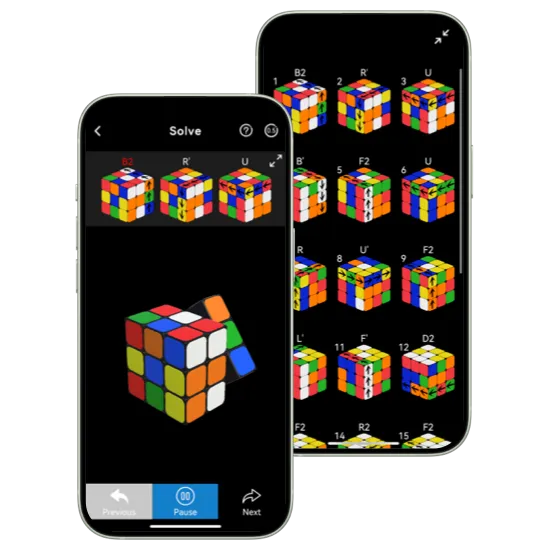
Functies van de Rubik's Cube Solver

Scan je kubus direct
Scan je kubus snel met je camera voor een snelle en nauwkeurige start, of voer kleuren handmatig in wanneer scannen niet handig is. Beide opties zijn eenvoudig, betrouwbaar en geschikt voor beginners.

Krijg snelle en nauwkeurige oplossingen
Genereer in seconden nauwkeurige, stapsgewijze oplossingen voor 2x2-, 3x3- en 4x4-kubussen. Elke zet wordt duidelijk begeleid, zodat je zonder verwarring oplost en veelgemaakte fouten voorkomt.

Volg stapsgewijze instructies
Voer elke zet in je eigen tempo uit met duidelijke visuele begeleiding. Speel stappen opnieuw af, pauzeer wanneer nodig en volg vol vertrouwen van scramble tot oplossing.
Hoe je met de app een Rubik's Cube oplost
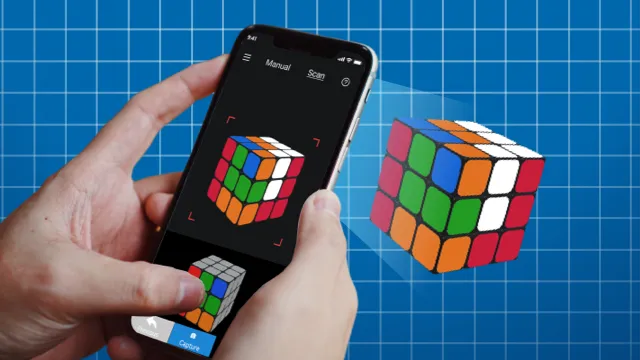
Voer je kubus in
Scan je gehusselde kubus met de camera of voer kleuren handmatig in.
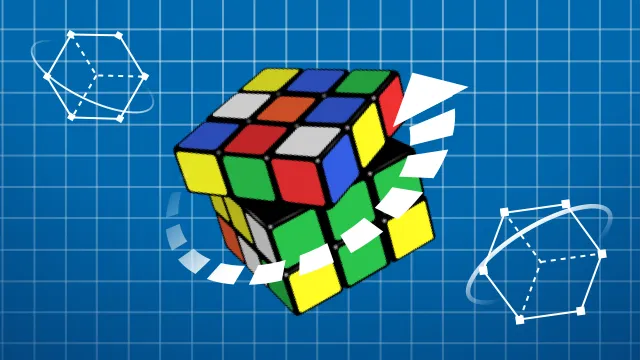
Ontvang je oplossing
De app analyseert je kubus en genereert een efficient oplossingspad.
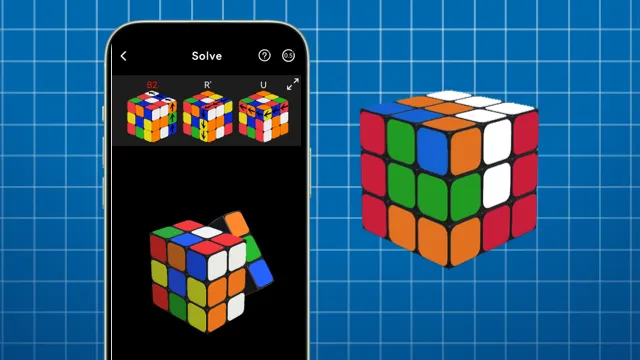
Volg en los op
Volg de begeleide zetten stap voor stap totdat je kubus is opgelost.
Veelgestelde vragen
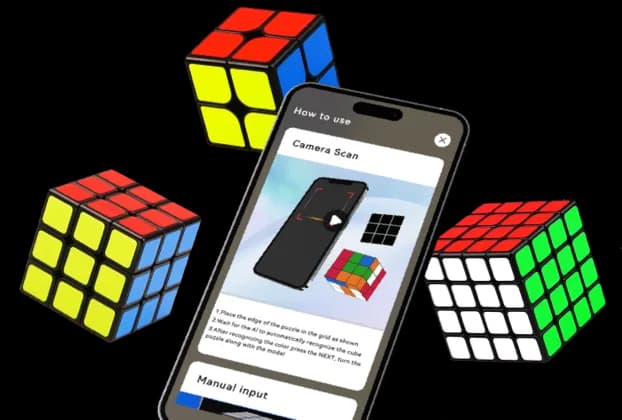
Eén app voor 2x2, 3x3 en 4x4 kubussen
Van beginners tot ervaren cubers: deze app helpt je om je Rubik's Cube sneller op te lossen met duidelijke stapsgewijze begeleiding.
Ondersteunt 2x2, 3x3 en 4x4: Geen extra tools of ingewikkelde instellingen.
Automatische herkenning: De app detecteert snel uw kubusstatus en bouwt een praktisch oplossingstraject op.
Stapsgewijze begeleiding: elke beweging wordt duidelijk weergegeven, zodat u deze kunt volgen zonder te verdwalen.
Aanpassingen van het vaardigheidsniveau: Of je nu een beginner of een ervaren cuber bent, de flow blijft eenvoudig en efficiënt.
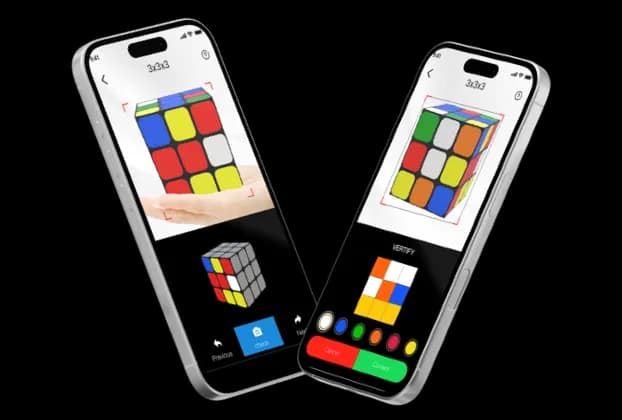
Scannen of handmatig invoeren: uw keuze
Richt je camera op je gecodeerde Rubiks kubus voor snelle herkenning, of voer kleuren handmatig in als dat nodig is.
Snelle camerascan: Leg elke kant vast en laat de app binnen enkele seconden uw kubusindeling identificeren.
Handmatige invoeroptie: Stel zelf elke gezichtskleur in als de scanomstandigheden niet ideaal zijn.
Direct oplospad: Krijg direct na herkenning een duidelijke reeks zetten.
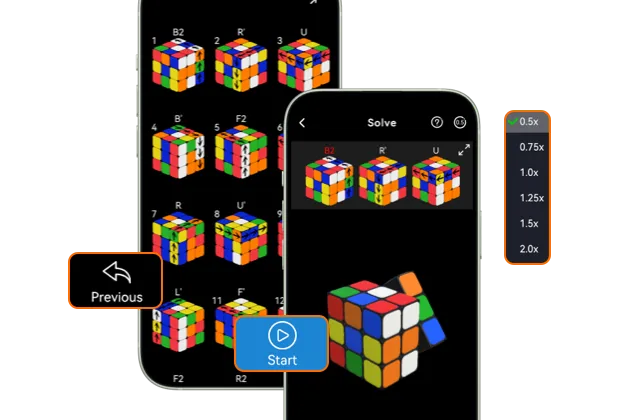
Nauwkeurige begeleiding per beweging
Zodra uw oplossing klaar is, volgt u elke beweging met duidelijke visuele aanwijzingen en bedieningselementen die zijn ontworpen voor echte praktijk. Los je kubus zonder verwarring op, zelfs bij je eerste poging! — gissen is niet nodig.
Stapsgewijze instructies: Volg elke beurt van het begin tot de opgeloste kubus met minimale verwarring.
Instelbare snelheid: Vertraag of versnel het afspelen van bewegingen, afhankelijk van uw tempo.
Op elk gewenst moment pauzeren en hervatten: Oefen op uw ritme zonder uw voortgang te verliezen.
Beginnersvriendelijke flow: Eenvoudige bediening en duidelijke begeleiding helpen je snel zelfvertrouwen op te bouwen.
Download nu de Rubik's Cube-oplosser!
Download de gratis app en los je Rubik's Cube in seconden op - download de app nu.
Veelgestelde vragen

Vraag: Is de app gratis te gebruiken?
A: Ja, u kunt beginnen met het oplossen van problemen met de gratis versie. Voor sommige geavanceerde functies zijn in-app-aankopen vereist.
Vraag: Kan ik zowel camerascan als handmatige invoer gebruiken?
EEN: Ja. U kunt uw kubus scannen op snelheid of overschakelen naar handmatige invoer voor meer controle.
Vraag: Werkt de app offline?
A: De belangrijkste oplossingsstappen zijn beschikbaar na de installatie. Voor sommige functies is mogelijk een internetverbinding vereist.
Vraag: Wat als de bewegingen te snel aanvoelen?
A: U kunt het afspelen vertragen, op elk gewenst moment pauzeren en elke stap opnieuw afspelen totdat deze duidelijk aanvoelt.
Vraag: Wat is een AI-kubusoplosserscanner?
A: Een AI-kubusoplosserscanner gebruikt de camera van uw telefoon om de kleuren en lay-out van een gecodeerde kubus te herkennen. CubeSolver AI gebruikt die scan om een duidelijk stapsgewijs oplossingspad te creëren, zodat je elke beweging kunt volgen zonder elke kleur met de hand in te voeren.
Vraag: Wat is de snelste manier om een Rubiks kubus op te lossen?
A: De snelste manier is om een kubusoplosser-app te gebruiken die direct de optimale oplossing genereert en u bij elke beweging begeleidt.
